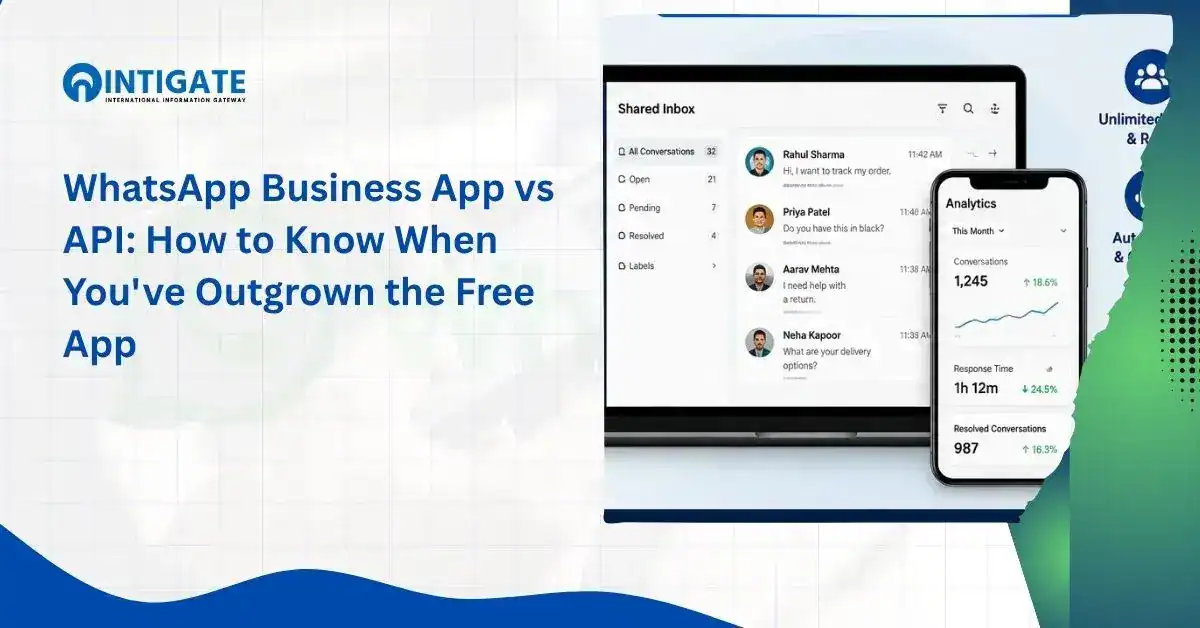
WhatsApp Business App vs API: How to Know When You’ve Outgrown the Free App
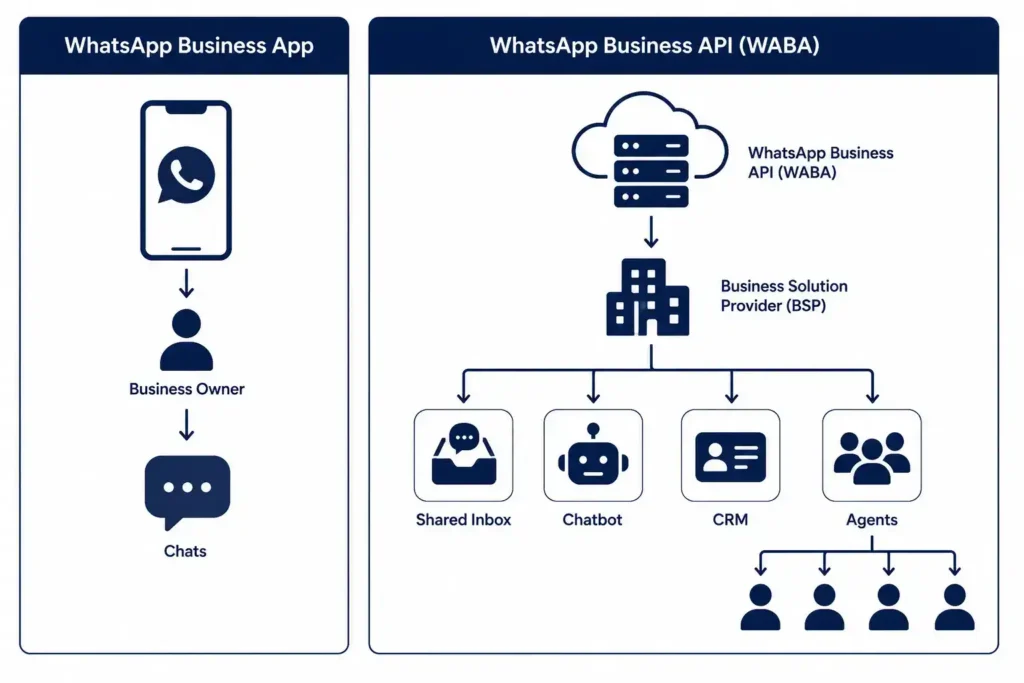
- Choosing between the free app and the paid API is a capacity question, not a preference question. The App is a single-device tool for one person. The API is backend infrastructure for teams, automation, and integration, accessed through a Business Solution Provider.
- The WhatsApp Business App caps you at 256 saved contacts per broadcast list and one primary device. That ceiling, not a feature preference, is usually what forces the conversation.
- Your API account runs on a WhatsApp Business Account (WABA). The API is the technical channel you use to operate that account, and the two terms are not interchangeable.
- Meta’s Coexistence feature lets a business run the App and the API on the same number and the same WABA at once, so switching no longer means losing your number or chat history.
- Not every business needs the API yet. If your team is small and your message volume is low, the free App may still be the right tool, and upgrading early just adds cost without solving a problem you have.
Most businesses reach for “WhatsApp Business App vs API” after the free app has already cost them a few customers, not before.
The App works well for one person handling a manageable volume of chats from a single phone.
It was not built for a support team, a marketing calendar, or a CRM feeding it leads.
Once any of those enter the picture, the App’s limits stop being minor and start showing up as missed replies, duplicated answers, and no record of what actually happened in a conversation.
This guide breaks down what separates the two products and who should switch now versus who should wait.
It also covers the practical steps for moving over if you decide it’s time. Businesses that reach this point usually work with a WhatsApp Business solution provider, so the number of customers already saved carries over cleanly.
Your team is likely losing leads to a single-device limit, not a staffing problem. See how a multi-agent WhatsApp Business API setup fixes this.
Compare WhatsApp API plans →What’s the Actual Difference Between the WhatsApp Business App and the API
Here’s WhatsApp Business App vs API in one sentence: the App is a free mobile app for one person managing chats on one device, while the API is paid backend infrastructure, run on a WhatsApp Business Account, that connects WhatsApp to CRMs, chatbots, and multiple agents at once.
Meta treats these as two separate products, not two tiers of the same app.
The WhatsApp Business App is downloadable from the Play Store or App Store.
It gives small businesses a catalog, quick replies, labels, and one automated greeting or away message.
The WhatsApp Business API, officially the WhatsApp Business Platform, has no screen or inbox of its own.
You access it through a Business Solution Provider. That provider’s dashboard is where the shared inbox, automation builder, and reporting actually live.
WhatsApp Business Account (WABA): the official business identity Meta assigns to your number. The API is the technical channel you use to operate that account, so the WABA is the “what,” and the API is the “how.”
Two policy details matter here that most comparisons skip.
First, getting API access requires Meta’s approval through a verification process; it is not an instant self-serve signup the way downloading the App is.
Second, both products enforce the same 24-hour customer service window. Once a customer messages you, you can reply freely for 24 hours.
After that, any further outreach must use a pre-approved message template.
Messages that arrive through a Click-to-WhatsApp ad or a Facebook Page button extend that window to 72 hours.
This rule exists to stop spam. It applies whether you’re on the App or the API, so switching products does not remove it.
Do You Actually Need the API Yet?
Not every business does. Upgrading before you need to just adds a monthly bill without fixing anything. The App is usually still the right call when:
- One person or a small, co-located team handles messages
- Monthly volume is low enough that nothing sits unanswered for hours
- WhatsApp conversations don’t need to show up anywhere else, like a CRM or a helpdesk
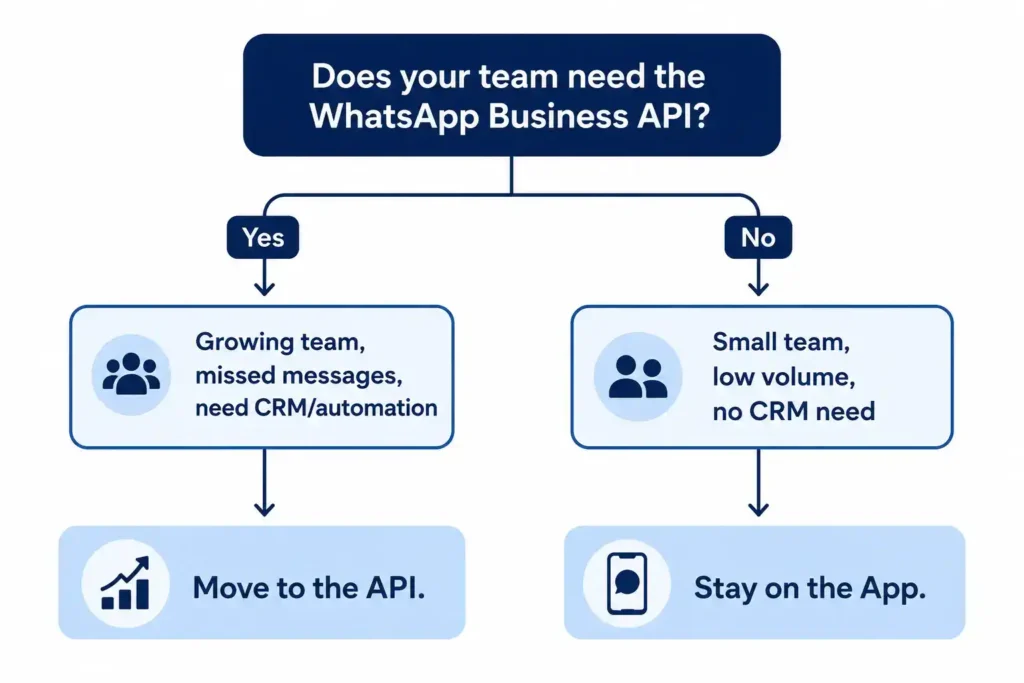
The moment any one of those stops being true, the calculation flips. The five signs below are the concrete version of that shift.
5 Signs You’ve Outgrown the WhatsApp Business App
Picture a clinic’s front desk closing at 6 PM. A patient messages at 9 PM to confirm tomorrow’s appointment.
The App’s away message reads “Thanks for your message, we’ll respond during business hours.”
By the time staff replies the next morning, the patient has already called a different clinic.
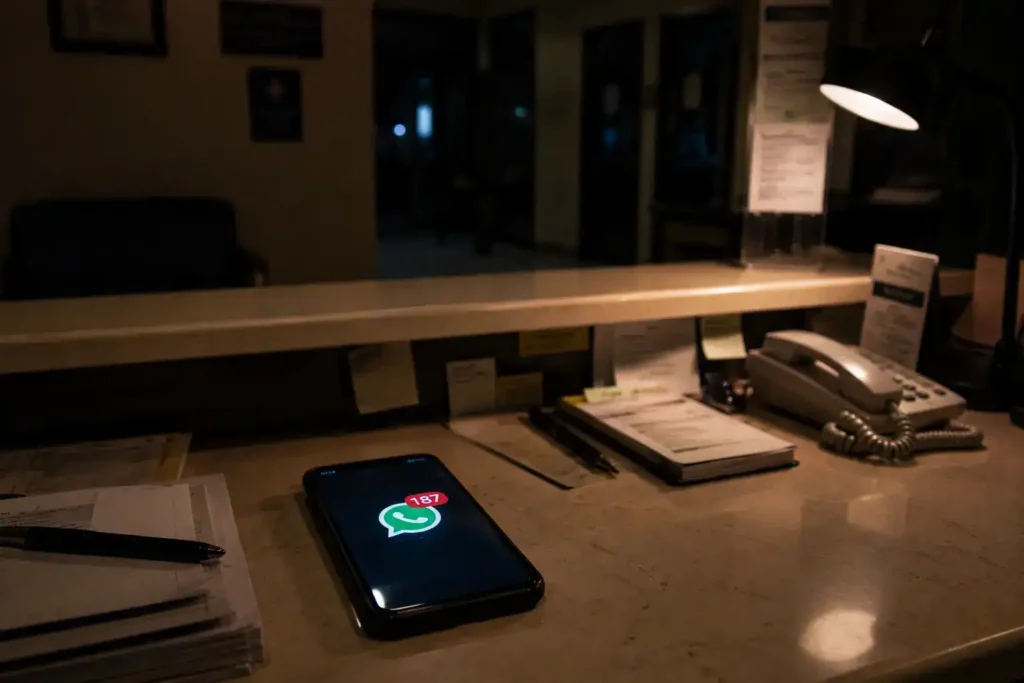
That is the App’s single-device limit playing out in a real, low-stakes moment.
It’s also the most common pattern that pushes healthcare and education teams toward the API, since both fields run on time-sensitive, appointment-driven messages.
- Missed Messages During Peak Hours (Single-Device Limit). The App is tied to one primary device. When volume spikes, one person cannot realistically read, sort, and answer every conversation before it goes cold.
- More Than 4 People Need Access to Chats. Linked companion devices on the App are limited and offer no role-based permissions. Teams end up sharing logins or passing one phone around.
- You’re Manually Copy-Pasting the Same Replies. Quick replies in the App are static text. There is no branching logic and no way to trigger a reply automatically based on what the customer typed.
- You Can’t See Response Times or Campaign Data. The App shows three counters: sent, delivered, read. That confirms a message arrived. It does not show how long a customer waited or which agent is falling behind.
- You’re Blocked from CRM or E-commerce Integration. The App cannot write conversation data into a CRM, trigger a workflow in an e-commerce platform, or sync a lead automatically. You have to do all of that by hand.
If more than one of these sounds familiar, the question is no longer “should we switch”; it’s “how soon.”
Working with an official WhatsApp Business API provider at that stage means planning the migration around your existing workflows instead of reacting to a backlog that has already built up.
Feature-by-Feature Comparison
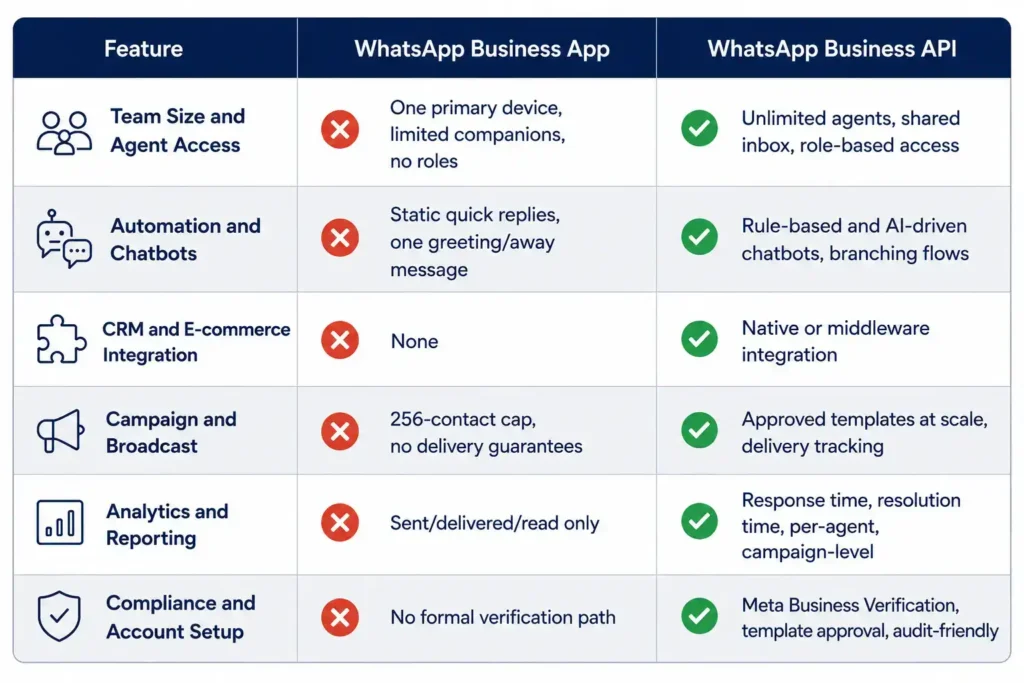
| Feature | WhatsApp Business App | WhatsApp Business API |
|---|---|---|
| Team Size and Agent Access | One primary device, limited companion devices, no role permissions | Unlimited agents through a shared inbox, with role-based access |
| Automation and Chatbots | Static quick replies and one automated greeting/away message | Rule-based and AI-driven chatbots, branching flows, keyword triggers |
| CRM and E-commerce Integration | None | Native or middleware integration with CRMs and e-commerce platforms |
| Campaign and Broadcast Capabilities | Broadcast lists capped at 256 contacts, no delivery guarantees | Approved message templates sent at scale, with delivery tracking |
| Analytics and Reporting | Sent, delivered, read counts only | First response time, resolution time, per-agent performance, campaign-level reporting |
| Compliance and Account Setup | No formal verification path, higher risk of restriction if used for mass messaging | Meta Business Verification available, structured template approval, audit-friendly reporting |
The gap that matters most here is not any single row; it’s what happens when several compound at once.
A team without CRM integration and without automation ends up needing more people just to hold flat message volume, not to grow it.
Every workaround for the missing features (manual copy-paste, someone watching one phone, exporting data by hand) consumes a person’s time that automation would otherwise absorb.
Neither product charges you to reply to a customer who messages first within the 24-hour window.
The API’s cost is usage-based, billed by Meta per conversation category once that window closes, on top of whatever your BSP charges for the platform layer itself.
Can You Use the App and the API Together?
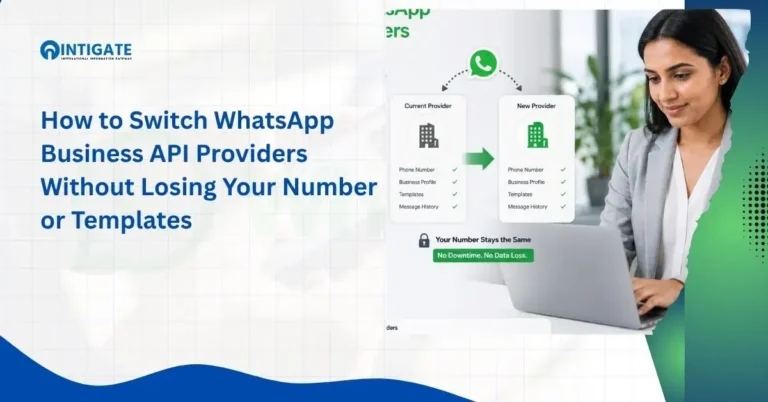
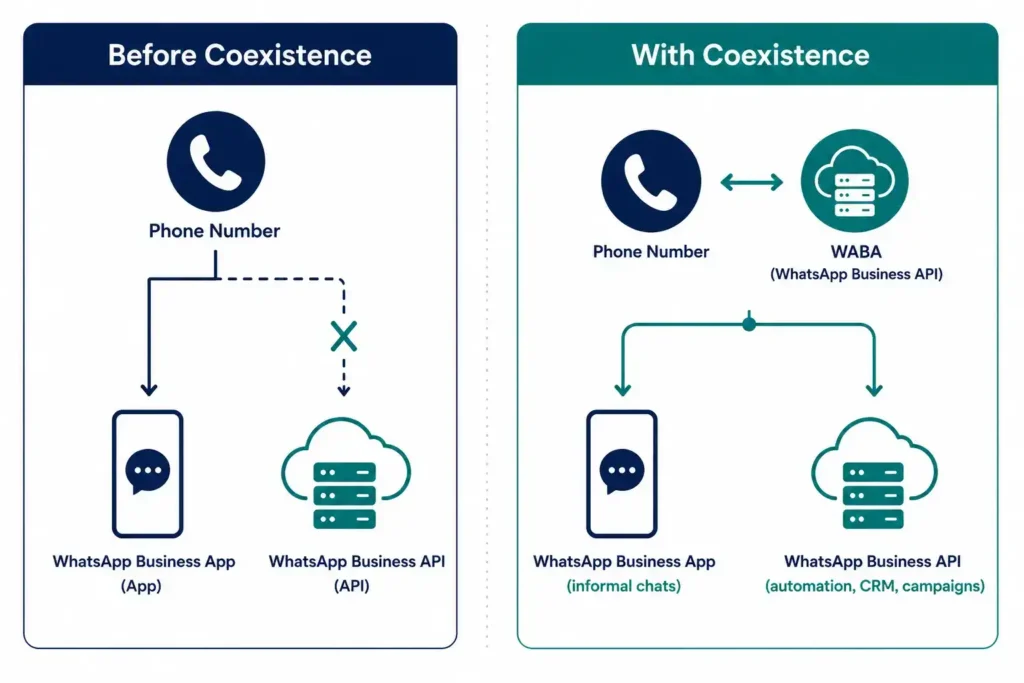
Yes. Meta’s Coexistence feature lets a single WhatsApp number and its WABA run on both the Business App and the API at the same time, without losing chat history or contacts.
Before Coexistence existed, moving a number to the API meant it could no longer be used inside the Business App at all.
That trade-off is what made many businesses delay a decision they already knew they needed to make.
Coexistence removes it by syncing recent conversations between the App and the API-connected inbox.
A team member can keep replying informally from the phone for day-to-day chats, while automated campaigns and CRM logging run through the API side on the same underlying WABA.
This is one number operating in two environments in parallel, not two separate numbers.
The App side keeps native mobile features like Status and Calling that the API does not replicate on its own.
How to Move from the App to the API
- Confirm eligibility. Check that your WhatsApp Business App is on a recent version and that your number and country are supported for Coexistence or a direct migration.
- Choose a Business Solution Provider. Since the API has no interface of its own, this is the platform your team will actually use day-to-day for the inbox, templates, and reporting.
- Complete Meta Business Verification. This is what unlocks official verification status and higher messaging limits, and it is usually the slowest part of the process since Meta reviews and approves each business rather than granting instant access.
- Decide on Coexistence or a full migration. Coexistence keeps the App active alongside the API on the same WABA. A full migration moves the number entirely onto the API and retires the consumer app.
- Submit templates and set up automation. Message templates need Meta’s approval before they can be sent outside the 24-hour window, so build and submit them early rather than at go-live.
- Go live with a dedicated implementation manager. A structured rollout, not a self-serve signup, is what keeps a migration from disrupting live conversations. This is the model Intigate Technologies uses for onboarding, assigning a named implementation manager rather than leaving a new account to configure itself.
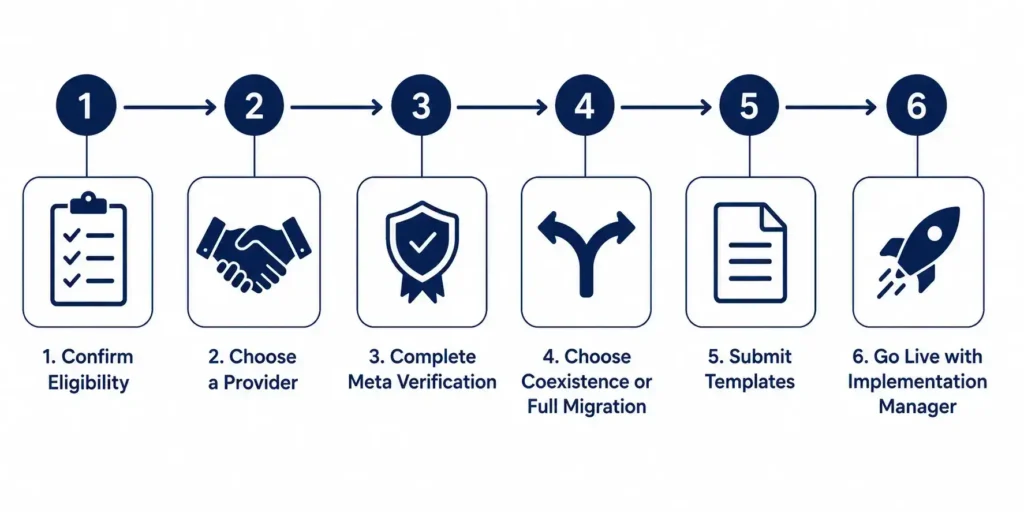
A dedicated implementation manager handles your Meta verification and template setup end to end.
Get started with Intigate’s WhatsApp Business API →FAQ
Is WhatsApp Business API free to start?
The API itself carries no license fee from Meta beyond usage-based conversation pricing, but most businesses access it through a BSP, which charges a platform fee. Total cost depends on your provider’s plan and monthly conversation volume, so request a quote before budgeting.
Does the API show the same green tick as the app?
No. The green tick, Meta’s official Business Verification badge, is only available on the API once your account passes Meta Business Verification. The free app has no equivalent verification path.
Will I lose my existing WhatsApp number?
Not if you use Coexistence, which keeps your existing number and syncs recent chat history between the app and the API. A full migration also retains your number, though it stops functioning inside the consumer app once migration completes.
What is a WABA, and how is it different from the API?
WABA stands for WhatsApp Business Account, which is your official business identity on WhatsApp. The API is the technical channel you use to operate that account. One WABA can be accessed by multiple systems or team members through the API at once.
Is the WhatsApp Business API suitable for healthcare or educational institutions?
Yes, with attention to compliance. Both sectors handle appointment reminders, admissions queries, or patient follow-ups at volumes that quickly exceed the app’s 256-contact broadcast cap, and both typically need the audit trail that only API-level reporting provides.
Can my regular WhatsApp account get banned for business use?
Yes, if you use a personal WhatsApp account or overuse the Business App for mass, unsolicited messaging, Meta can restrict or ban the number. This is one reason regulated or high-volume businesses move to the API, since it enforces template approval and opt-in rules that reduce that risk.
Conclusion
Choosing between the free app and the API comes down to scale, not preference.
The App suits a single person handling a manageable volume of one-to-one chats, and it will keep working fine for that use case indefinitely.
Once a team grows past a handful of agents, needs automation, or needs its WhatsApp data inside a CRM, the App’s limits (one device, 256 contacts, no integration) become the bottleneck.
Coexistence has removed the biggest reason businesses used to delay this decision, since a number no longer has to give up its history to move onto the API.
If your team is already hitting more than one of the five signs above, the practical next step is a scoped conversation with a WhatsApp Business Solution Provider about what a migration would look like for your specific volume and industry.